Billing & SubscriptionPayments
Find and download invoices
View your billing history and download receipts for your records.
Quest Team2 min readUpdated 2 Aug 2026
Download invoices from the Stripe portal linked from Settings → Billing when billing is enabled.
- 1
Open Billing
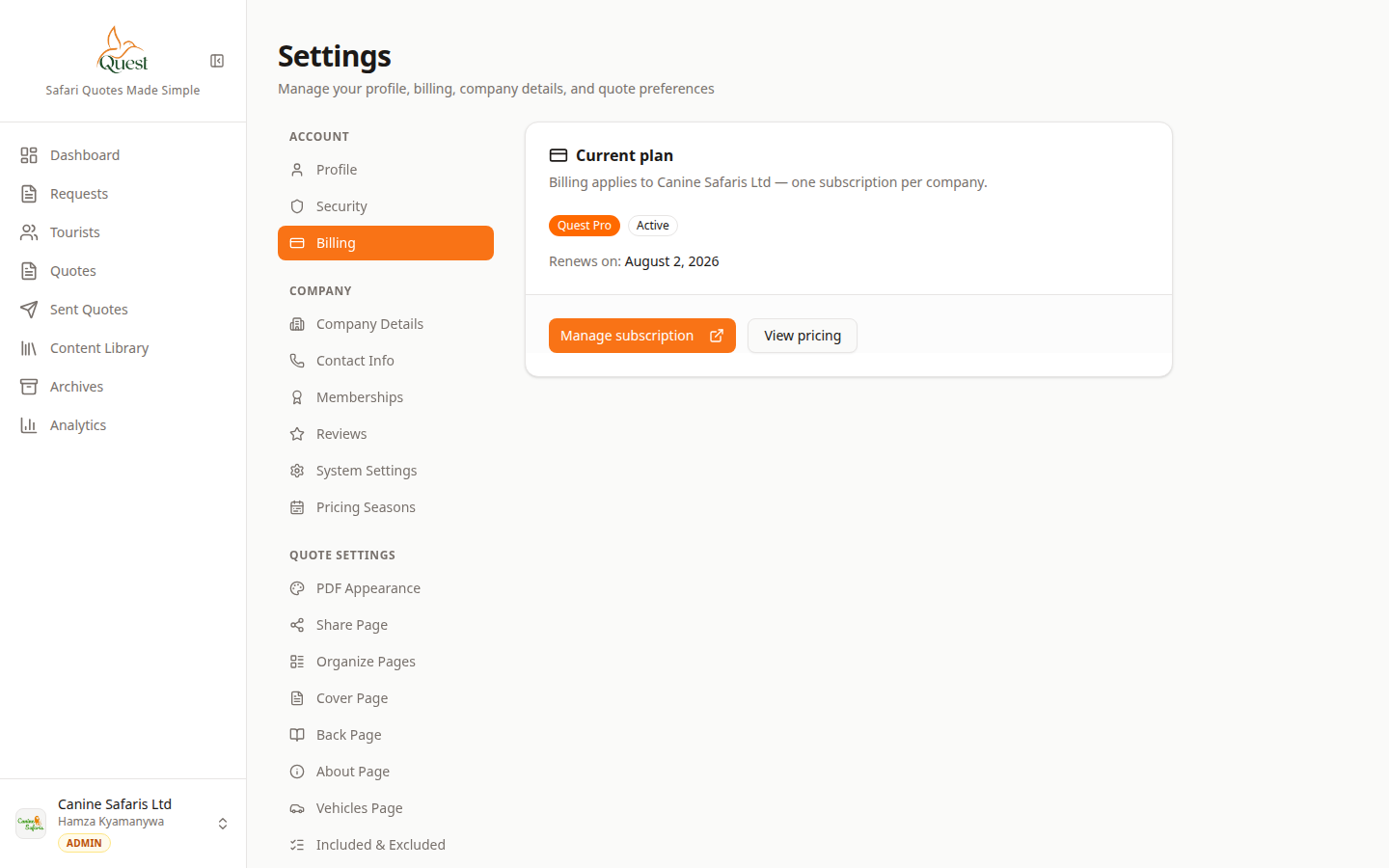
Billing
Company plan and subscription.
What the numbers mean
- 1
Billing nav
Settings → Account → Billing.
- 2
Plan panel
Status and actions for your company subscription.
1. Account menu → Settings → Billing.
2. Review plan status (Free / Pro / trial).
3. Use upgrade or Manage subscription when shown (Stripe portal).
- 1
- 2
Need plan details?
Billing
Same billing screen for reference.
What the numbers mean
- 1
Plan / upgrade
Upgrade or manage only appears when billing is enabled for the environment.
See What's included in Quest Pro for Free vs Pro features, or the public Pricing page on the marketing site.
- 1
Was this helpful?