What’s included in Quest Pro
The advanced pricing, presentation and automation tools Pro unlocks.
Quest Free lets you build and price quotes inside the app. Quest Pro unlocks professional client delivery — clean branded PDFs, email from Quest, removing Quest branding, and quote history tools.
Free vs Pro (plain list)
- Both Free and Pro: unlimited quote creation and editing, full pricing in the builder, PDF preview, company name/logo, Content Library.
- Pro only: clean PDF download with your branding, email quotes to clients from Quest, remove Quest branding on outputs, duplicate & archive quote history, client-ready covers/PDF polish, priority support.
- 1
See your plan in Billing
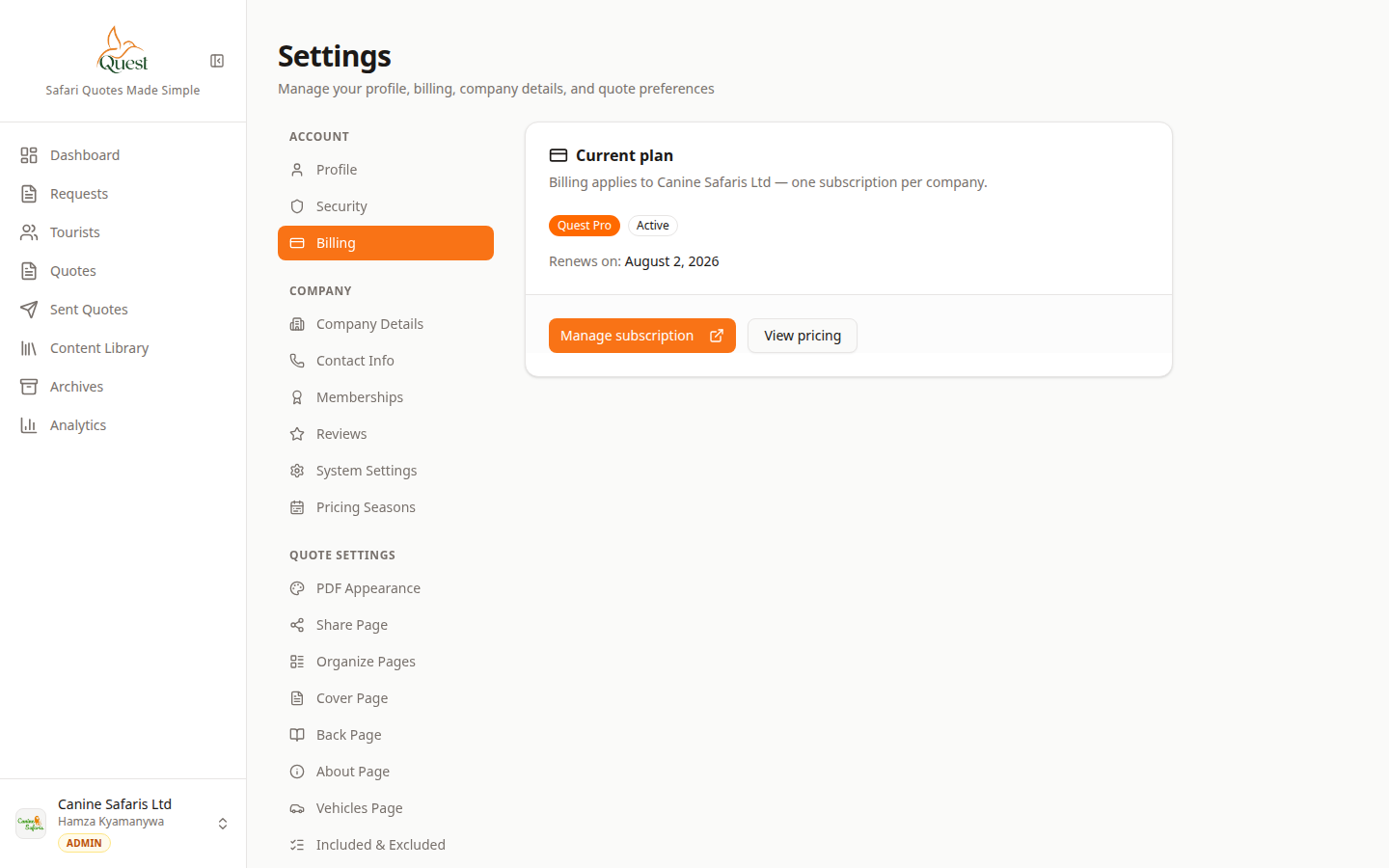
Billing
Your plan and subscription controls.
What the numbers mean
- 1
Billing in Settings
Account → Billing. Open this to see Free vs Pro and upgrade/manage options.
- 2
Plan status / upgrade
Shows whether the company is on Free or Pro and actions to upgrade or manage Stripe subscription.
1. Open Settings (account menu).
2. Click Billing.
3. Check whether you are on Free or Pro, and use upgrade / manage subscription if offered.
- 1
- 2
Where Pro shows up when sending
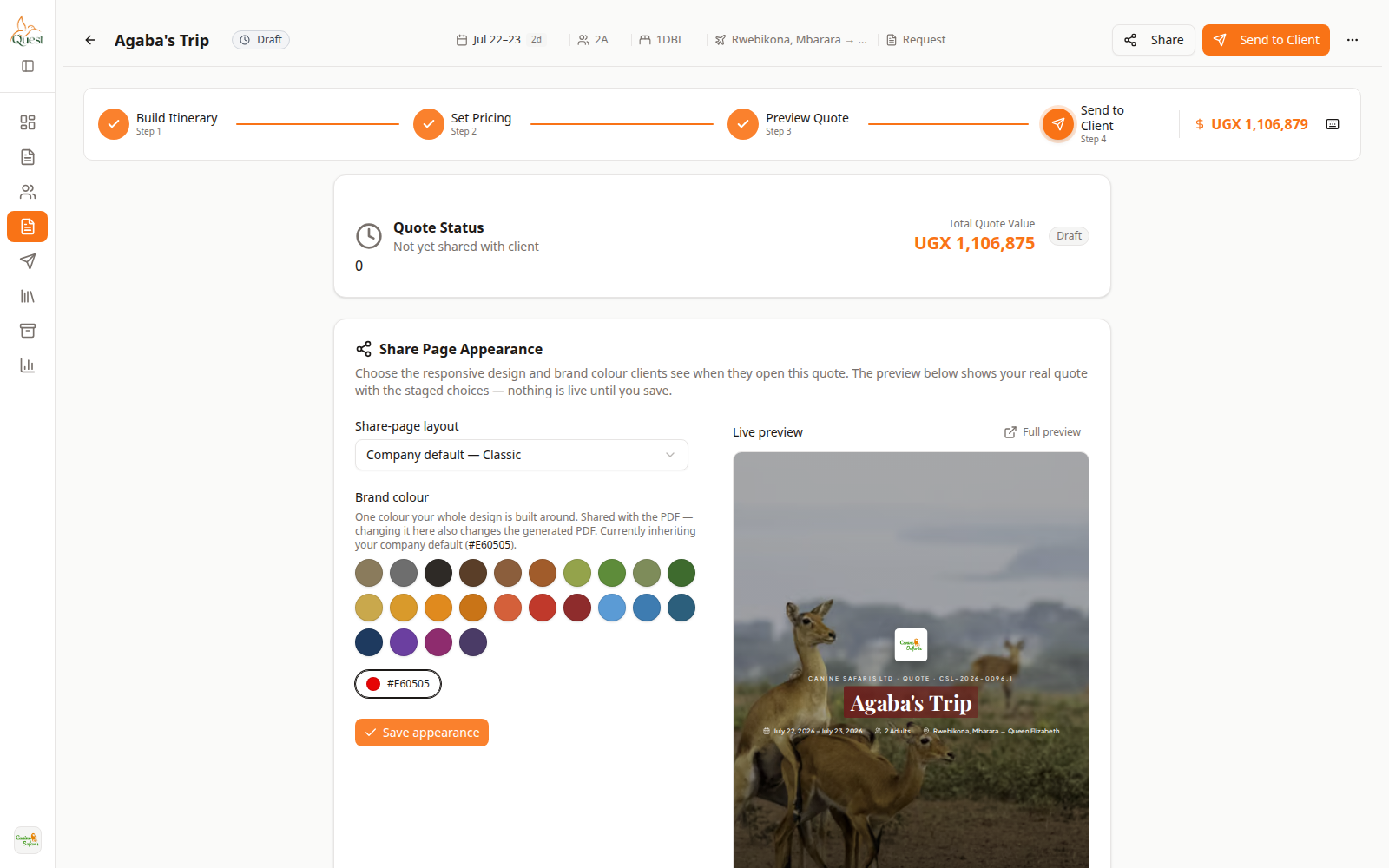
Send to Client
Delivery step where Pro output features apply.
What the numbers mean
- 1
Send to Client step
Wizard step 4 — email, PDF attach, and share. Pro unlocks full professional delivery here.
- 2
Send / share controls
Compose email, attach PDF, and share options. Branding and download rules follow your plan.
Pro matters most on Send to Client and PDF download:
• Emailing the proposal from Quest
• Downloading a clean branded PDF
• Share/output options that remove Quest branding
If you are on Free, the app may still let you build and preview — the paywall usually appears when delivering professional output.
- 1
- 3
Pricing tools (on every plan while building)
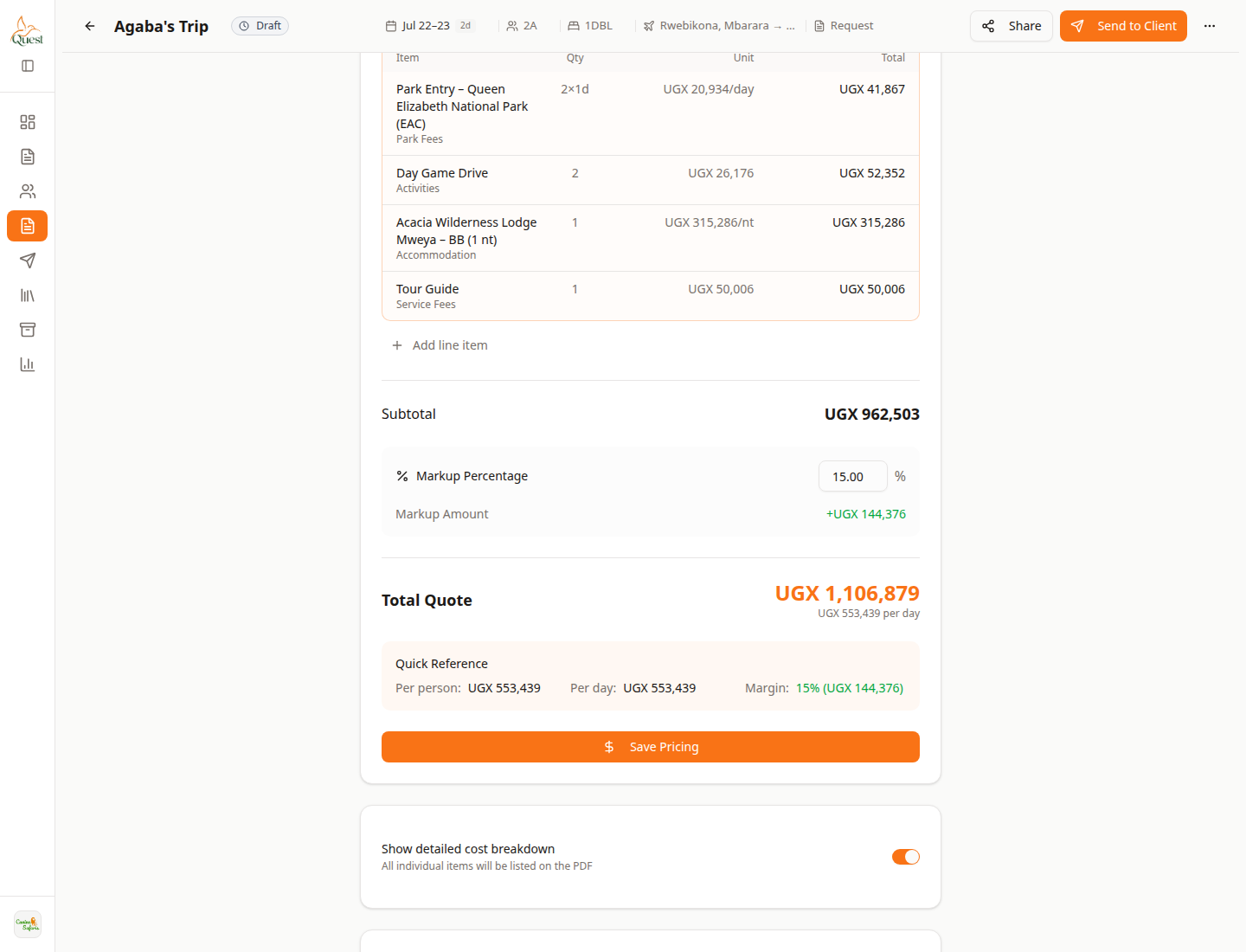
Set Pricing · markup
Example of builder pricing tools (markup %) — see the markup guide for full steps.
What the numbers mean
- 1
Markup Percentage
Builder control for margin on this quote. Available while pricing — details in the markup article.
- 2
Total Quote
Client total after markup. Confirm before Preview/Send.
Markup, cost breakdown, and quote currency on Set Pricing are part of building a quote (available while you work in the builder).
For how to change markup %, see Set markup, margins and rate overrides.
For currency on a quote, see Work with multiple currencies.
- 1
Was this helpful?