Build a day-by-day itinerary
Lay out the trip as day cards and watch the live cost summary update as you go.
On Build Itinerary, you plan the trip as day cards. Each day can have a destination, stay, activities, meals, and transport. Costs update in Quote Summary as you go.
- 1
Open Build Itinerary
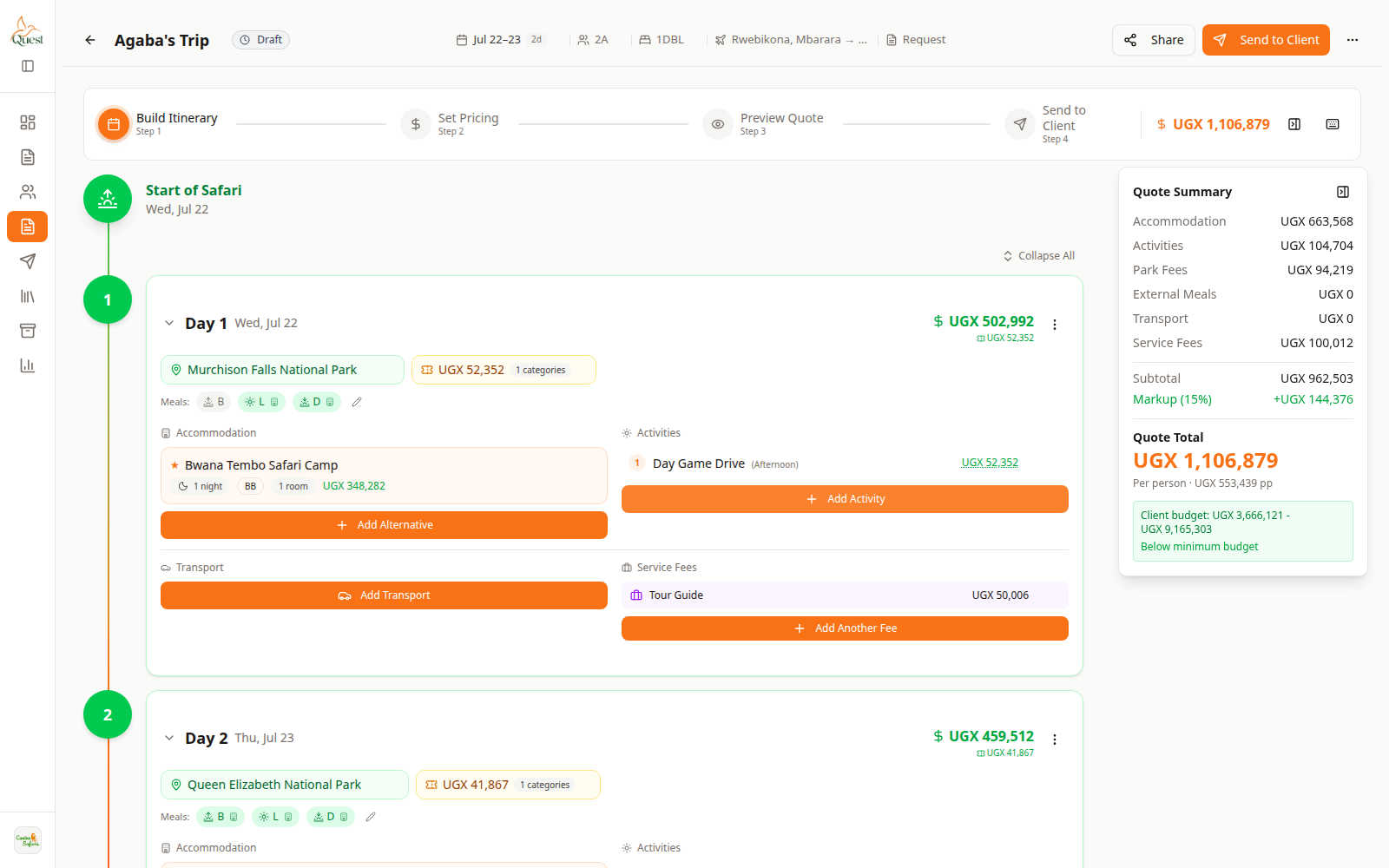
Build Itinerary
Main planning screen for the trip.
What the numbers mean
- 1
Build Itinerary step
Stay on this step to edit days. Other wizard steps are for pricing, preview, and send.
- 2
Day cards
One card per trip day. Expand a day to edit its place, lodge, activities, and transport.
- 3
Quote Summary
Live cost breakdown. Use it to check totals while you build.
Open a quote and select Build Itinerary (step 1). You should see day cards on the left/center and Quote Summary on the right.
- 1
- 2
Set the day’s destination
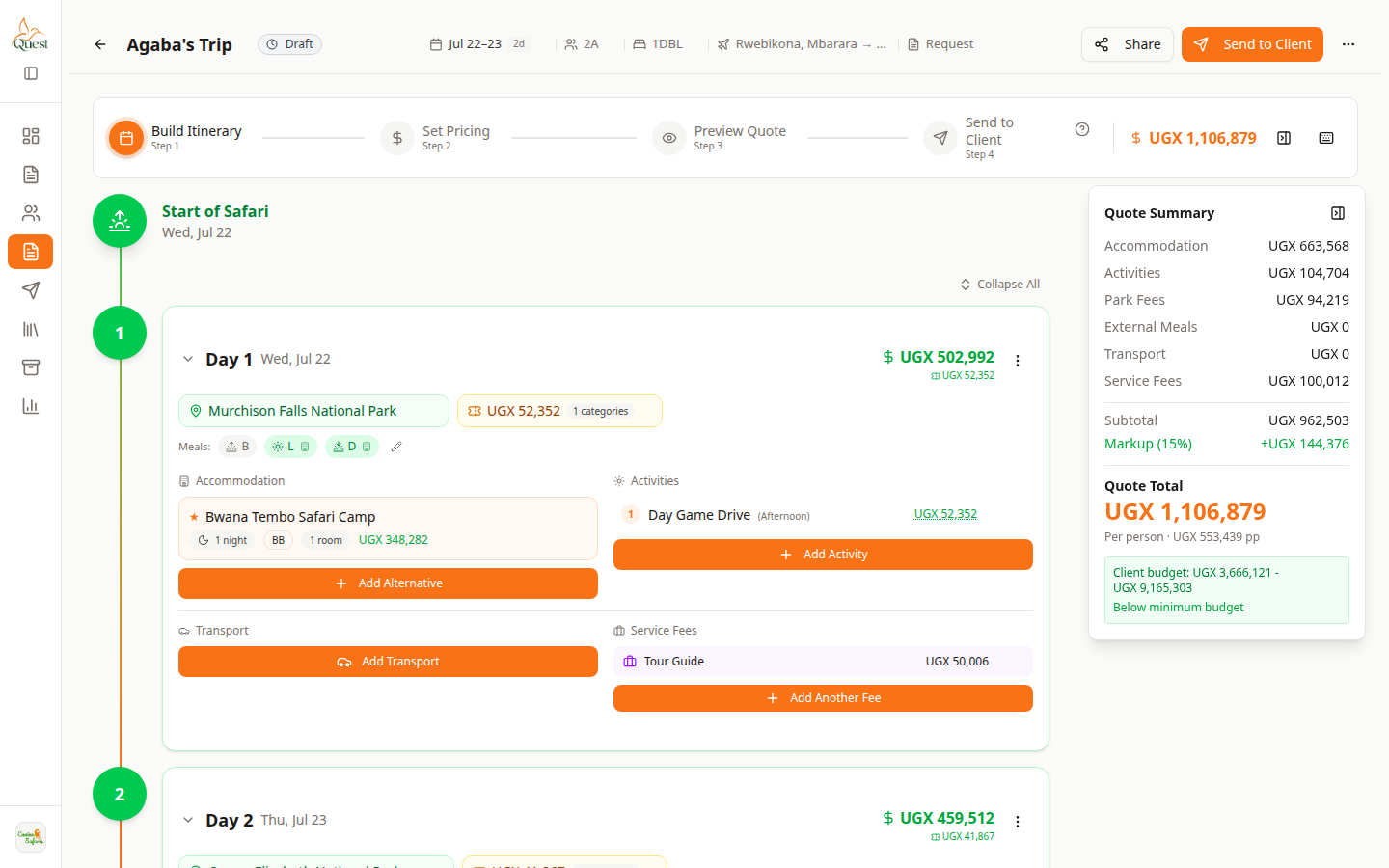
Destination
Place for this day.
What the numbers mean
- 1
Destination field
Click the park or place name on the day to change where this day is set.
On the day card, click the destination (park/place name).
Search and select the place. Park fees may appear automatically.
- 1
- 3
Add stay, activities, and transport
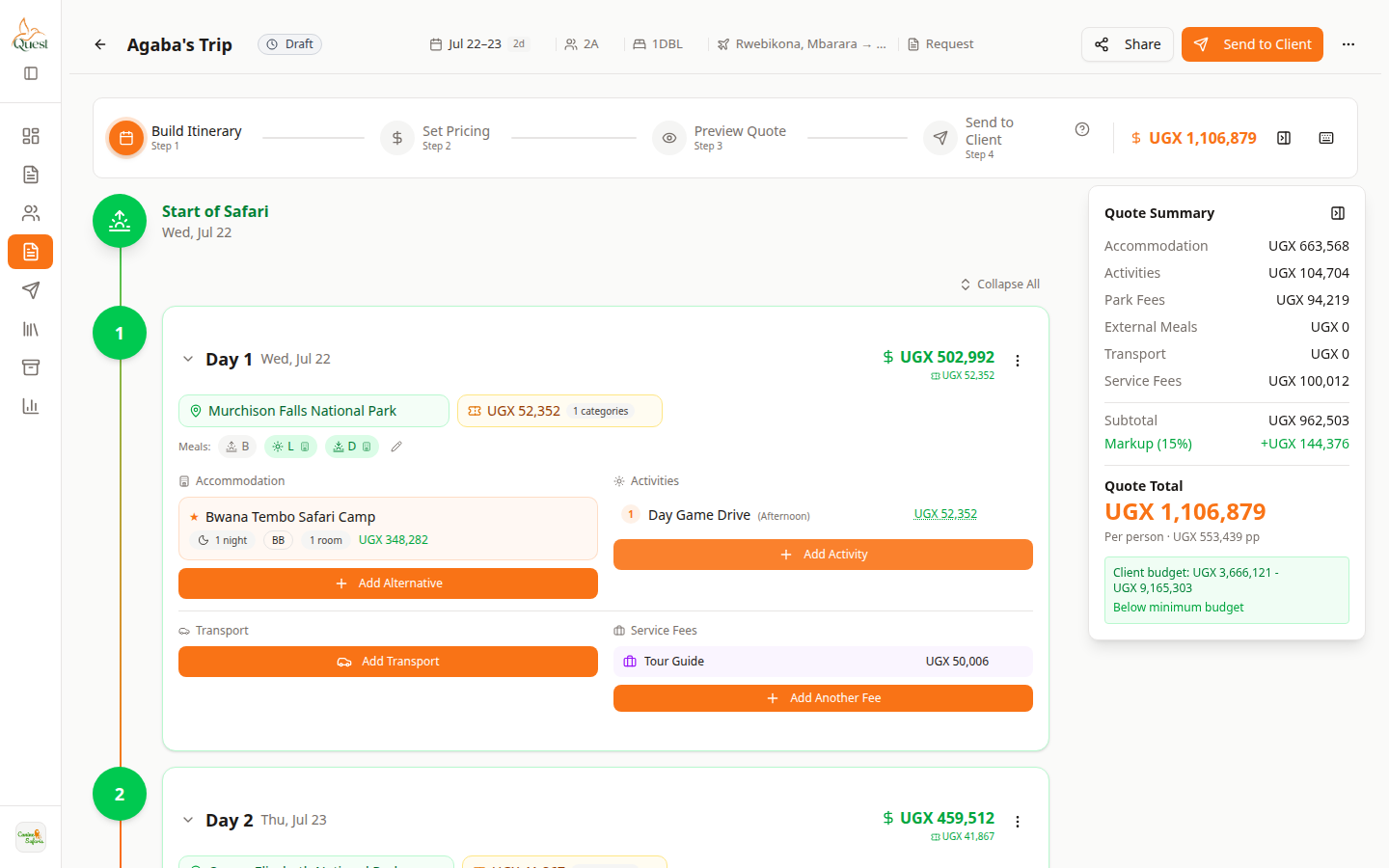
Add on the day
Orange + buttons add lines to that day only.
What the numbers mean
- 1
Accommodation / + Add Alternative
Adds or edits where guests sleep and board basis for this night.
- 2
Activities / + Add Activity
Adds experiences for this day (drives, walks, boats, etc.).
On the same day card:
• Accommodation → orange + Add Alternative (lodge/room/board basis).
• Activities → orange + Add Activity (game drives, etc.).
• Transport → add vehicle/transfer lines as needed.
Use the matching Help articles for each button if you get stuck.
- 1
Was this helpful?