Settings ManagementDocuments
Configure document and image layout
Control how proposals are laid out — cover pages, image sizes and section order.
Quest Team5 min readUpdated 2 Aug 2026
Document layout covers which pages appear and how images are organised on PDFs (Organize Pages, cover/back, etc.).
- 1
Organize pages
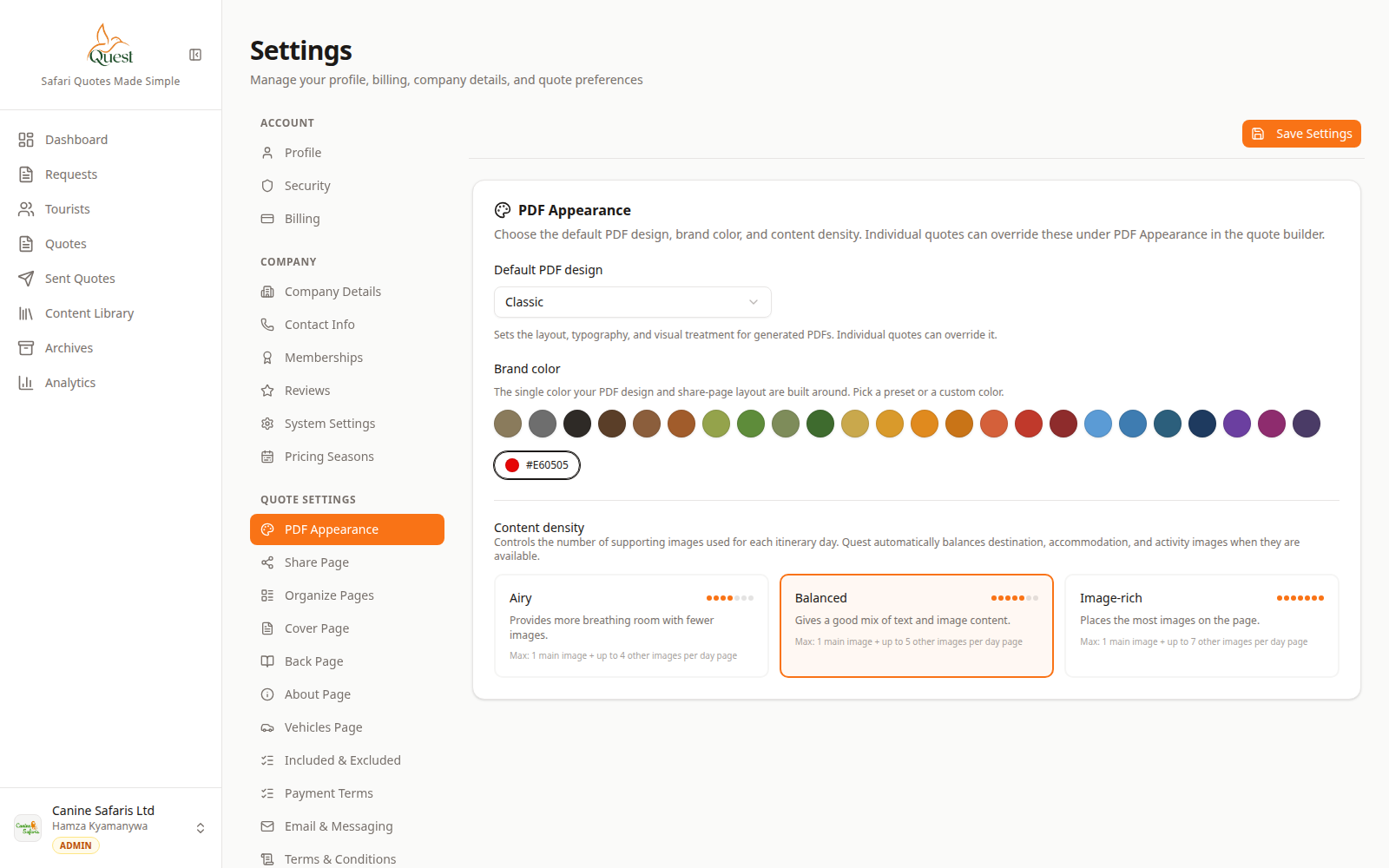
Quote settings
Document structure settings.
What the numbers mean
- 1
Quote settings nav
PDF Appearance, Organize Pages, Cover, Back, and related items.
Settings → Quote → Organize Pages (and related Cover/Back/About pages) to control PDF structure.
- 1
- 2
Preview the result
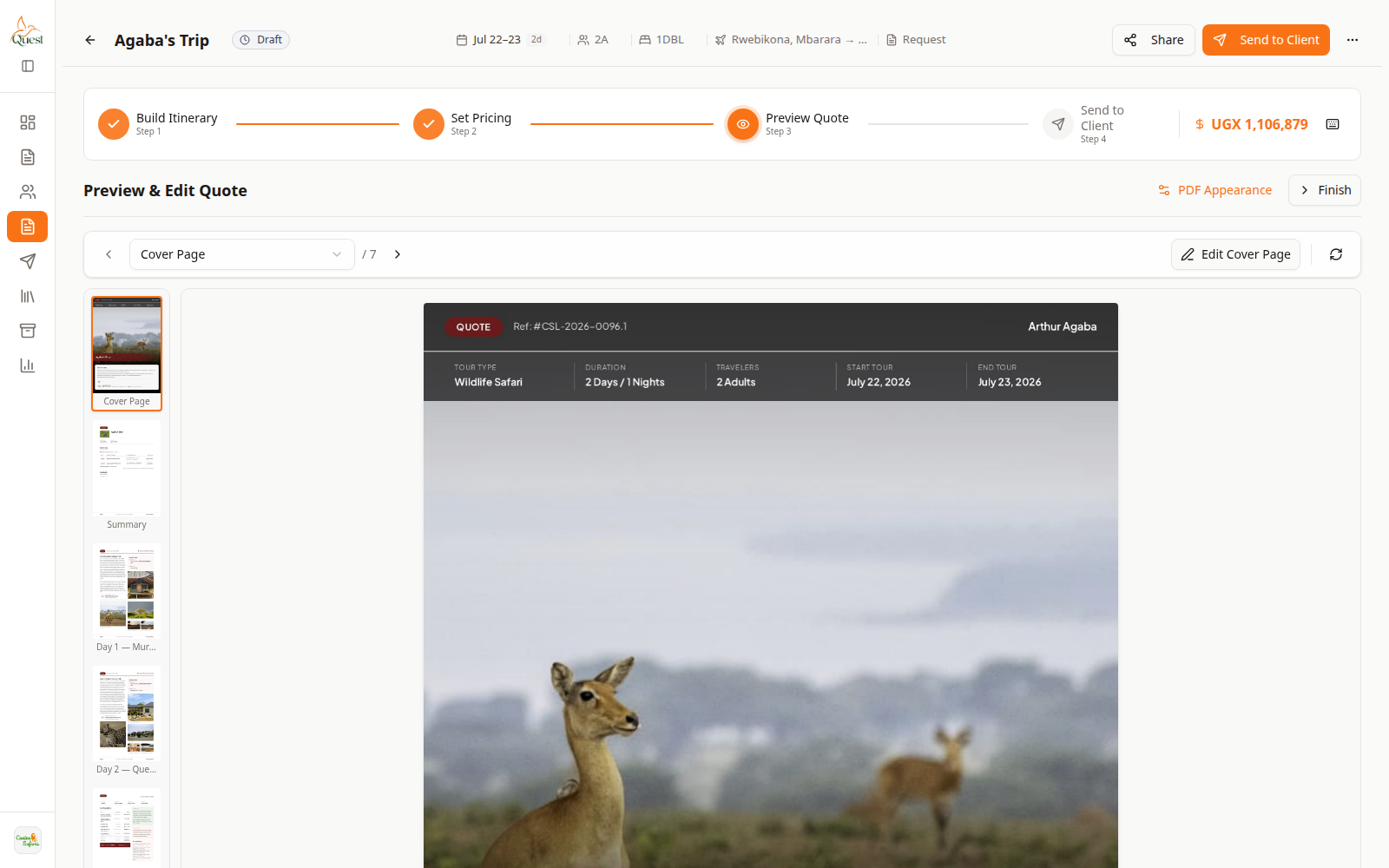
Preview
Verify page order and images.
What the numbers mean
- 1
PDF preview
Check page order and image layout.
Open Preview Quote on a sample trip after saving layout changes.
- 1
Was this helpful?