Edit and re-version a quote you already sent
Safely revise a delivered proposal and share an updated version with the client.
After a quote is sent, create a new version to revise it. That copies the trip into a new draft and keeps the original sent record for history.
- 1
Find the sent quote
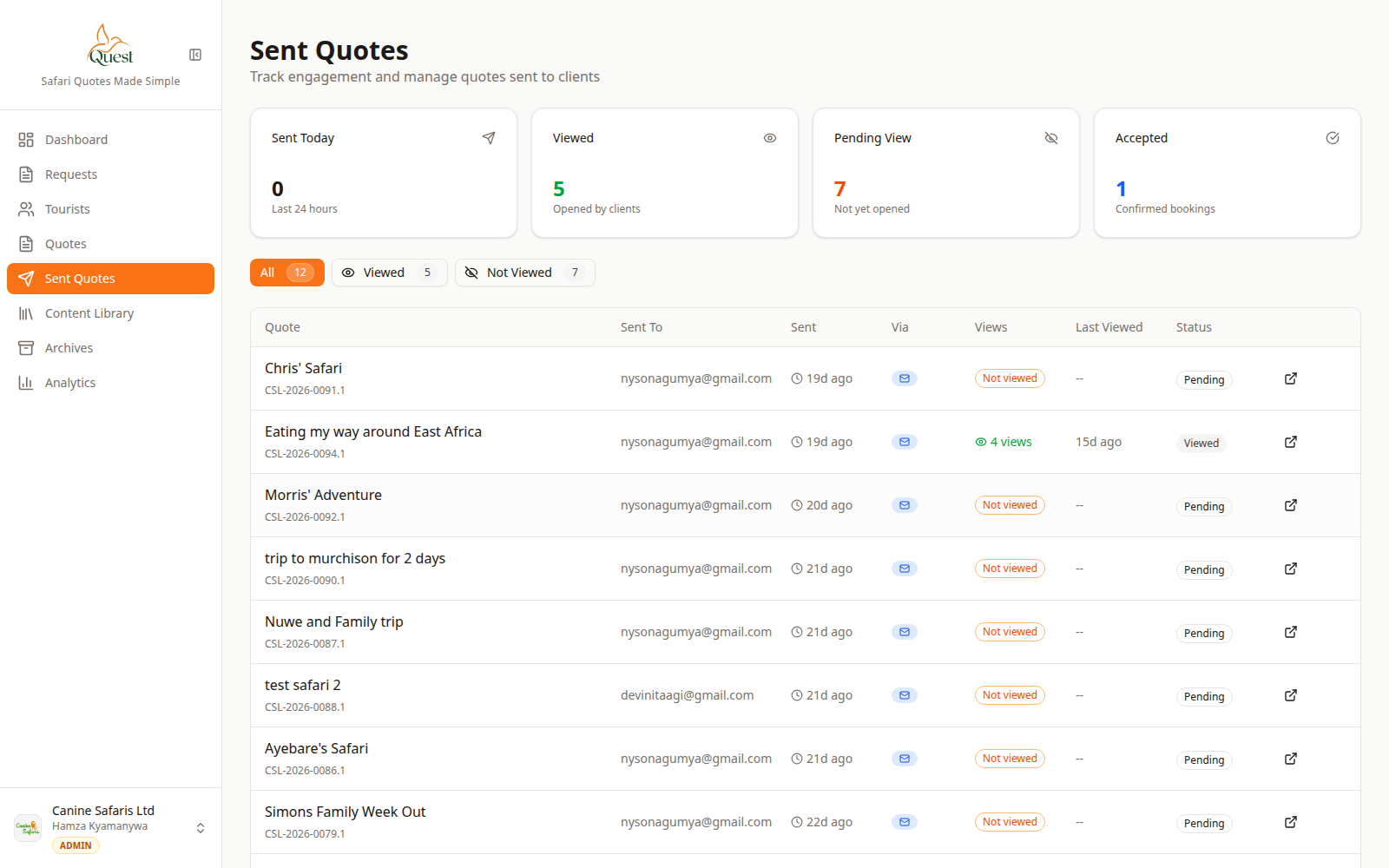
Sent Quotes
Delivered proposals.
What the numbers mean
- 1
Sent Quotes nav
List of quotes already delivered.
- 2
Sent quote row
Open the menu on this quote for version actions.
Open Sent Quotes in the sidebar (or Quotes and filter sent). Locate the proposal.
- 1
- 2
Create New Version
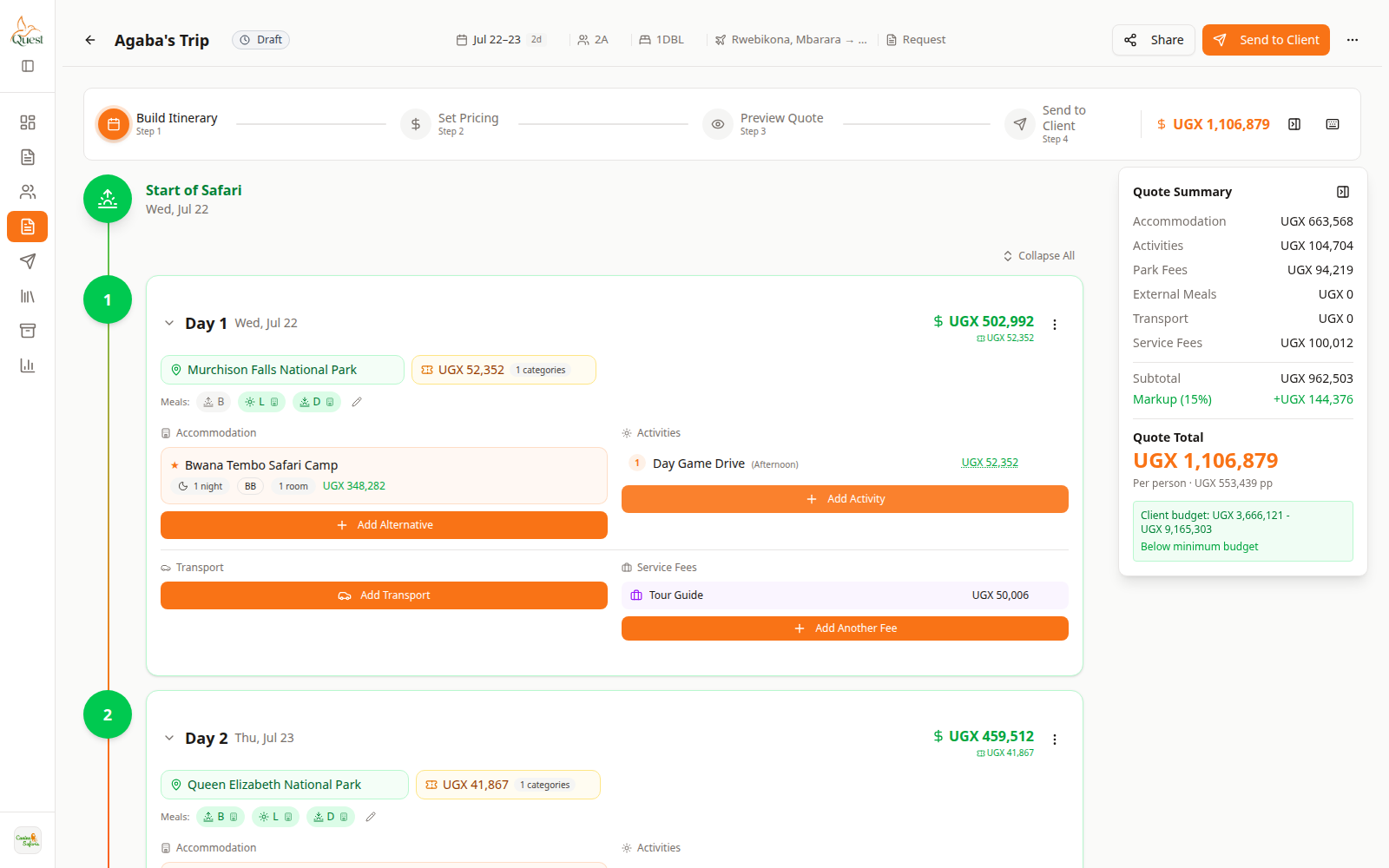
Build Itinerary
Edit the copy, not the frozen original.
What the numbers mean
- 1
Build Itinerary
Change days on the new version draft.
- 2
Quote Summary
Totals for the new version only.
Use the row menu or quote actions → Create New Version.
Open the new draft (v2, v3, …) and edit Build / Pricing as usual, then Preview and Send again.
- 1
Was this helpful?