Requests ManagementWorking with requests
Convert a request into a quote
Carry traveller and trip details straight into a new draft quote.
Quest Team3 min readUpdated 2 Aug 2026
Turn a saved client request into a priced quote you can build and send.
- 1
Open the request
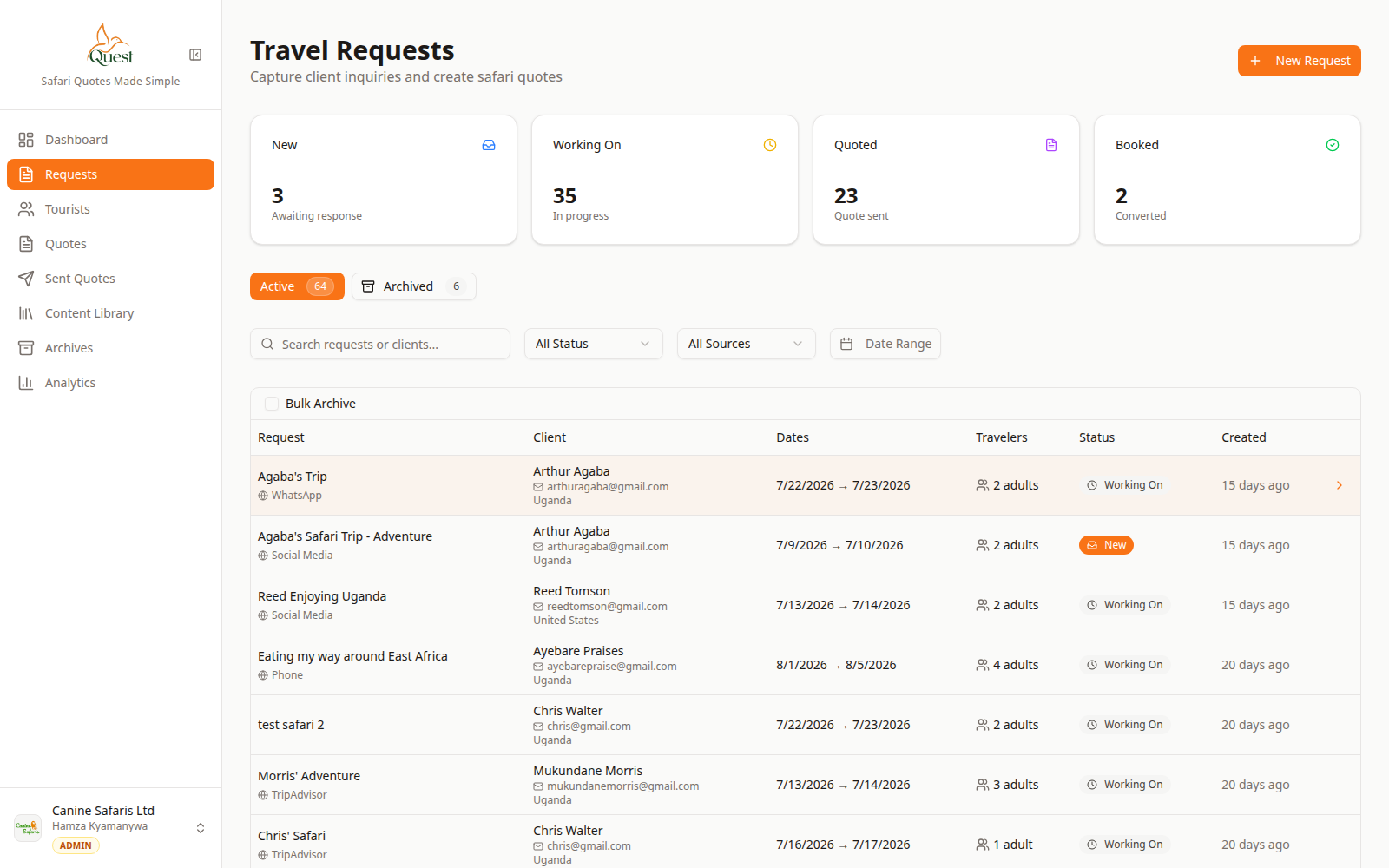
Requests
Pick the inquiry.
What the numbers mean
- 1
Request row
Click the request to open its detail.
- 2
Requests nav
Sidebar entry for all inquiries.
Go to Requests, click the client row you want.
- 1
- 2
Create / open the quote
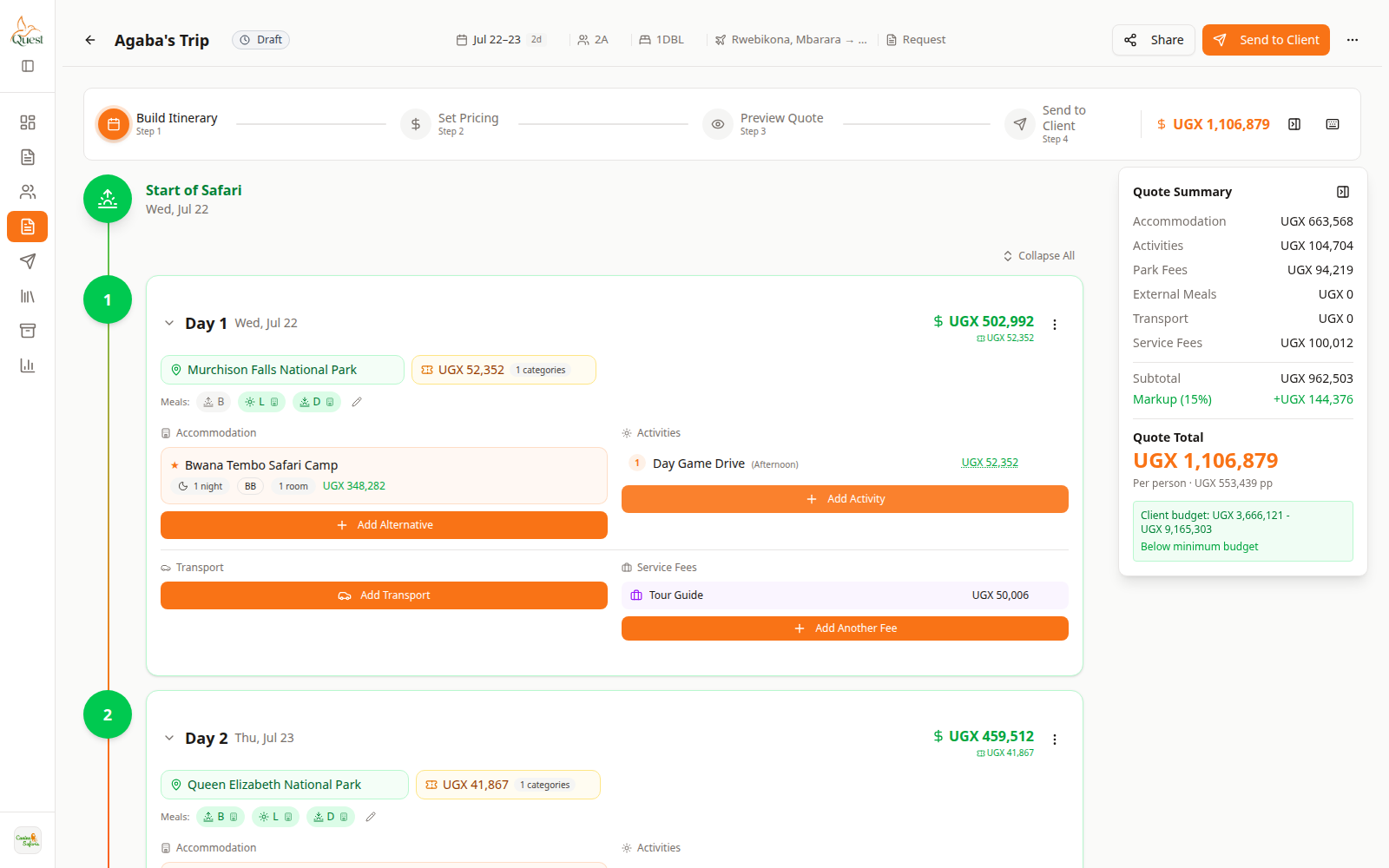
Quote builder
Continue building the trip.
What the numbers mean
- 1
Build Itinerary
Add days and trip content here.
- 2
Quote Summary
Costs update as you build.
From the request, use the action to create or open its quote (Create Quote / Open Quote).
You arrive in the quote wizard — start on Build Itinerary.
- 1
Was this helpful?