What is Quest and who is it for?
A plain overview of the Quest quoting platform and the operators it serves.
Quest is a browser-based tool for Uganda safari tour operators to build trip itineraries, price them, and send professional proposals to clients.
- Build day-by-day itineraries (places, lodges, activities, transport).
- Price with library rates, markup, and multi-currency options.
- Preview a PDF-style proposal, then email or share a client link (plan features apply on delivery).
- 1
Sign in and open your workspace
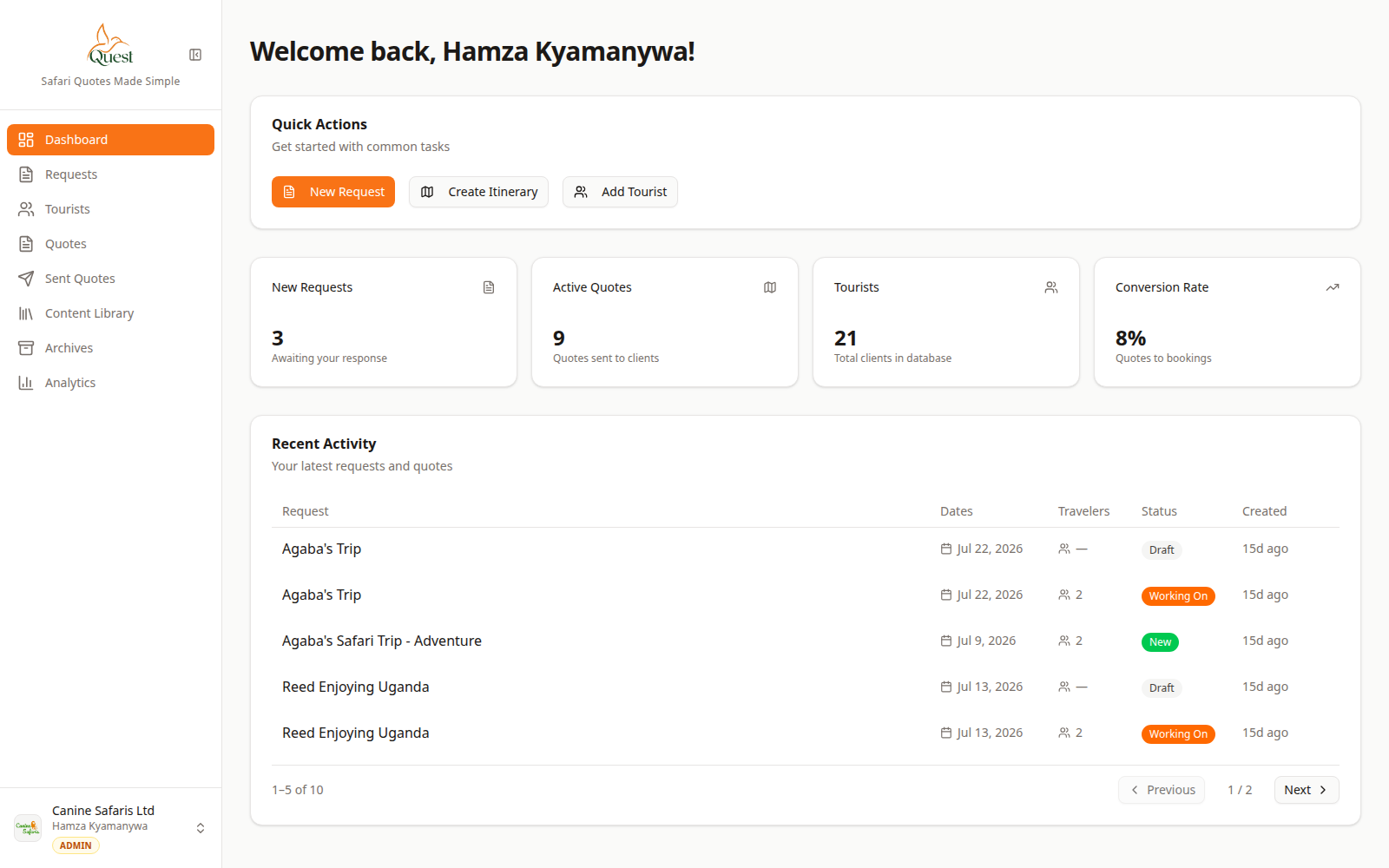
Dashboard
Your home screen after login.
What the numbers mean
- 1
Quick Actions
Shortcuts such as New Request to start common work quickly.
- 2
Sidebar
Main areas of Quest: Requests, Quotes, Library, Settings, and more.
1. Go to the official Quest site and sign in.
2. You land on the Dashboard for your company workspace.
3. Use the left sidebar to reach Requests, Quotes, Content Library, and Settings.
- 1
- 2
Where quoting happens
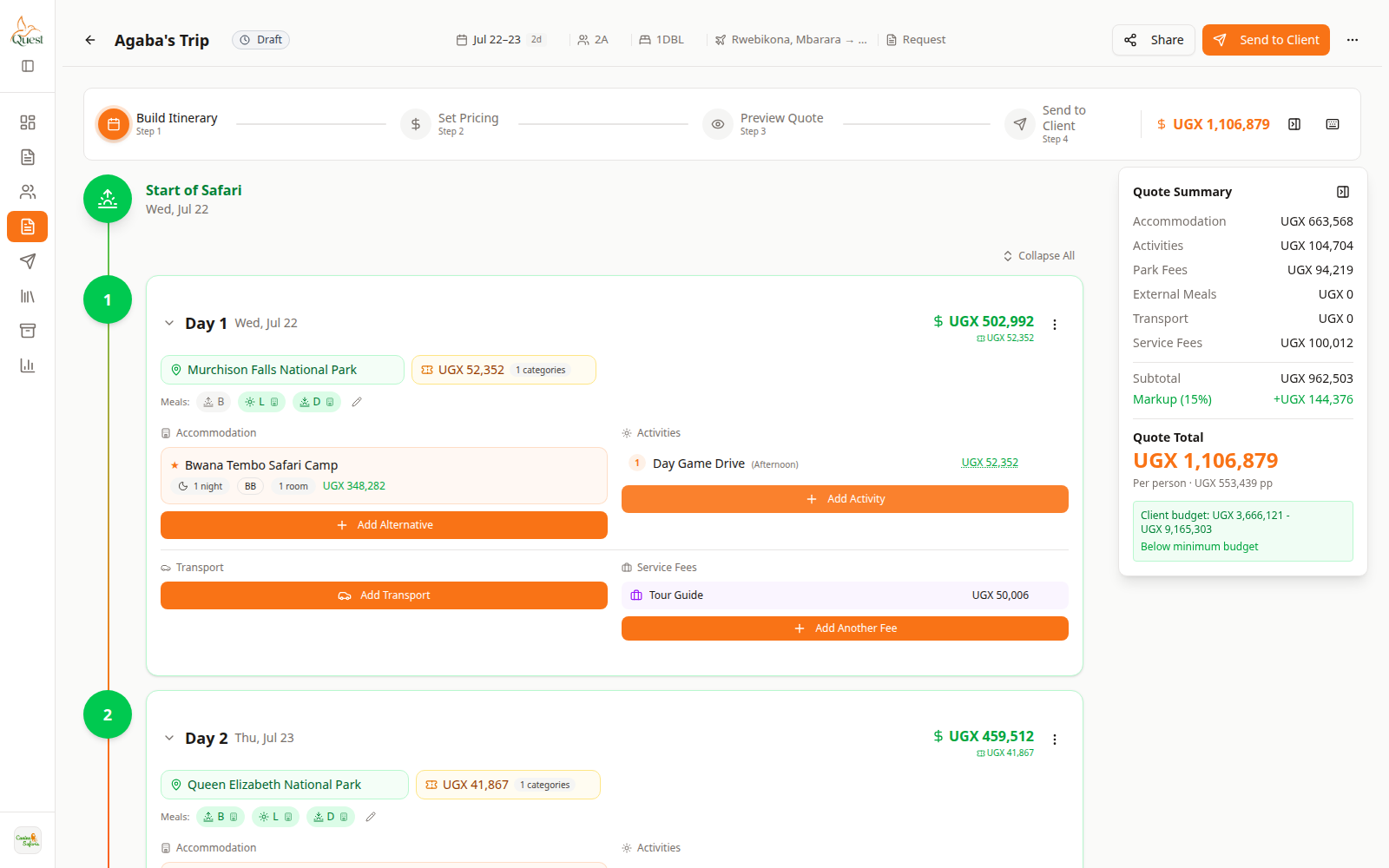
Quote builder
The four-step quote wizard.
What the numbers mean
- 1
Build Itinerary
Step 1 — plan days and trip lines.
- 2
Day cards
Each day of the safari lives here.
- 3
Quote Summary
Live totals while you build.
Open Quotes to build trips. Each quote uses steps: Build Itinerary → Set Pricing → Preview → Send to Client.
- 1
Was this helpful?